

Designed for trust, built for the future.
EV3851X FlexScan
Features
Ultrawide monitor with USB-C docking for maximum efficiency and productive multitasking.


Warranty
Highest investment security
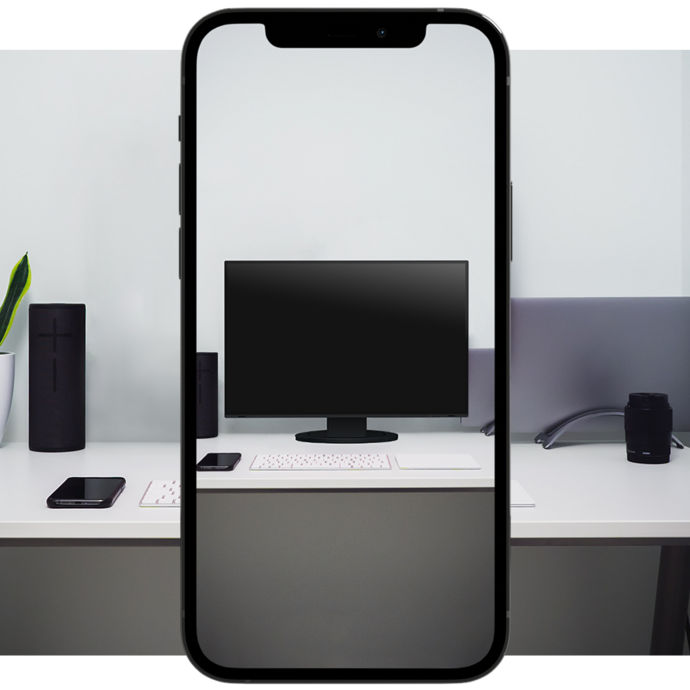
Designed for trust, built for the future.
EIZO has always stood for uncompromising quality. With the world’s first* 7-year warranty, EIZO is now setting another standard for long-term reliability and investment security. Right from the design and development stages, the EV3851X was engineered for exceptional quality and reliability.
EIZO’s quality promise is based on an integrated approach, from the first sketch to the finished product. Research and development, manufacturing, and quality control—every phase is carried out in-house at the headquarters in Japan. This enables precise, continuous monitoring and forms an important foundation for product and image quality. The result is monitors that are characterized by durability, reliable operation, and consistently high performance. For monitors you can rely on.
*According to EIZO research, as of June 2026.

Design
A pleasing sight on any desk
Plenty of space, comfortable view
The 37.5-inch EV3851X monitor features an ultrawide 24:10 aspect ratio. The 3840 x 1600 resolution (UWQHD+) provides almost three times the resolution of a Full-HD monitor. The massive screen area means there’s plenty of space to run multiple applications, with no need for additional monitors.
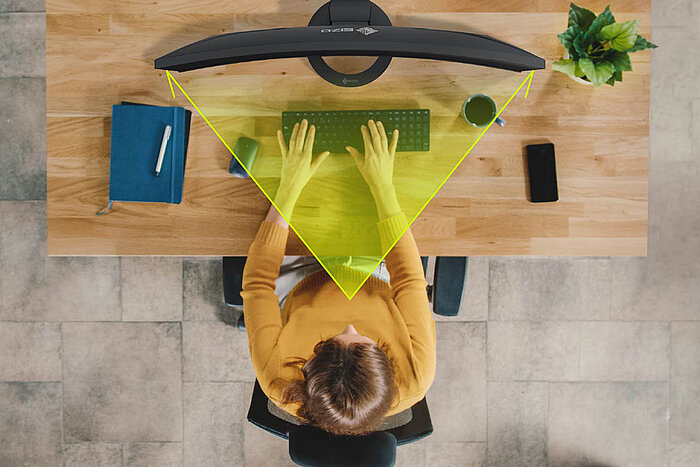
The curved design ensures comfortable visibility. The distance between your eyes and the screen increases towards the edges, something that becomes even more obvious when you sit closer to the monitor. In contrast to a consistently flat surface, the monitor’s curvature gives you a better view of the sides of the screen.

For every work environment
The look of a monitor can be key to creating a pleasant working environment. Whether you’re at home or in the office, the monitor’s minimalist design and ergonomic features allow it to fit naturally into your workplace environment.
Thanks to its virtually frameless housing and slim, sturdy stand, the monitor requires relatively little space despite its large screen size. This allows the EV3851X to leave enough space on standard desks for comfortable work.
The housing is available in an elegant black or in white, with matching white cables.

Clean Desk
A multitude of connection options means lots of cables.The EV3851X is clutterless, since it is equipped with a cable duct and a detachable backplate. These features make sure the back of the device is kept nice and tidy, rounding off the very sophisticated design.

Variety of ports
Best connectivity
Conveniently connected
It couldn't be easier: Most end devices, such as PC, laptop, mouse, keyboard or headphones, can be connected directly to the monitor, thanks to its wide range of signal interfaces and ports. This makes your daily work easier and ensures a tidy desk.

Modern and future-proof
Video and audio reproduction, data transfer, including network signal and power supply for connected devices – all this and so much more is possible with a single USB-C cable. The EV3851X will become your central docking station to which you can quickly and easily connect your laptop. This is especially practical if you have multiple workstations or switch between working in an office and at home.
The 94 W power supply via USB-C reliably charges small computers or laptops, giving you more desk space since an additional power supply is no longer necessary for the computer.

Stable network connection
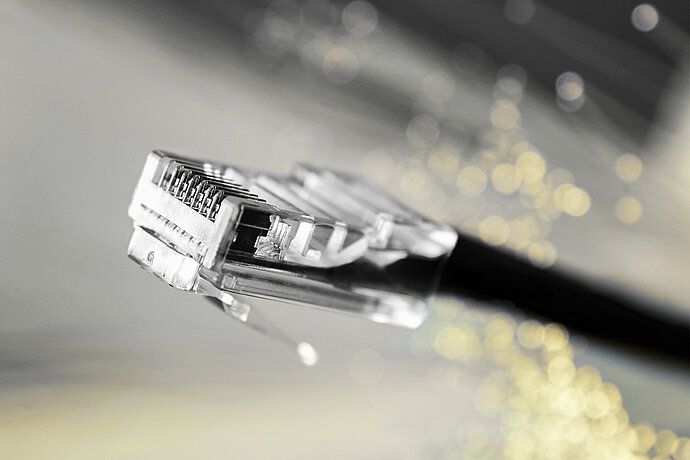
The monitor features a dedicated LAN port for a stable wired network connection. Laptops or PCs simply need to be connected to the EV3851X via a USB-C cable to access the network signal through the monitor. This is particularly advantageous for laptops that no longer have a LAN port. It enables stable data transfer, as required for video conferences, for example. As a network device, the monitor has its own MAC address or temporarily identifies itself using the MAC address of the connected computer.
Alternatively, the "EIZO MAC Address Clone Utility" software for Windows can assign a MAC address to the screen, for example, if a connected computer has only one virtual network adapter.
Two PCs, one control
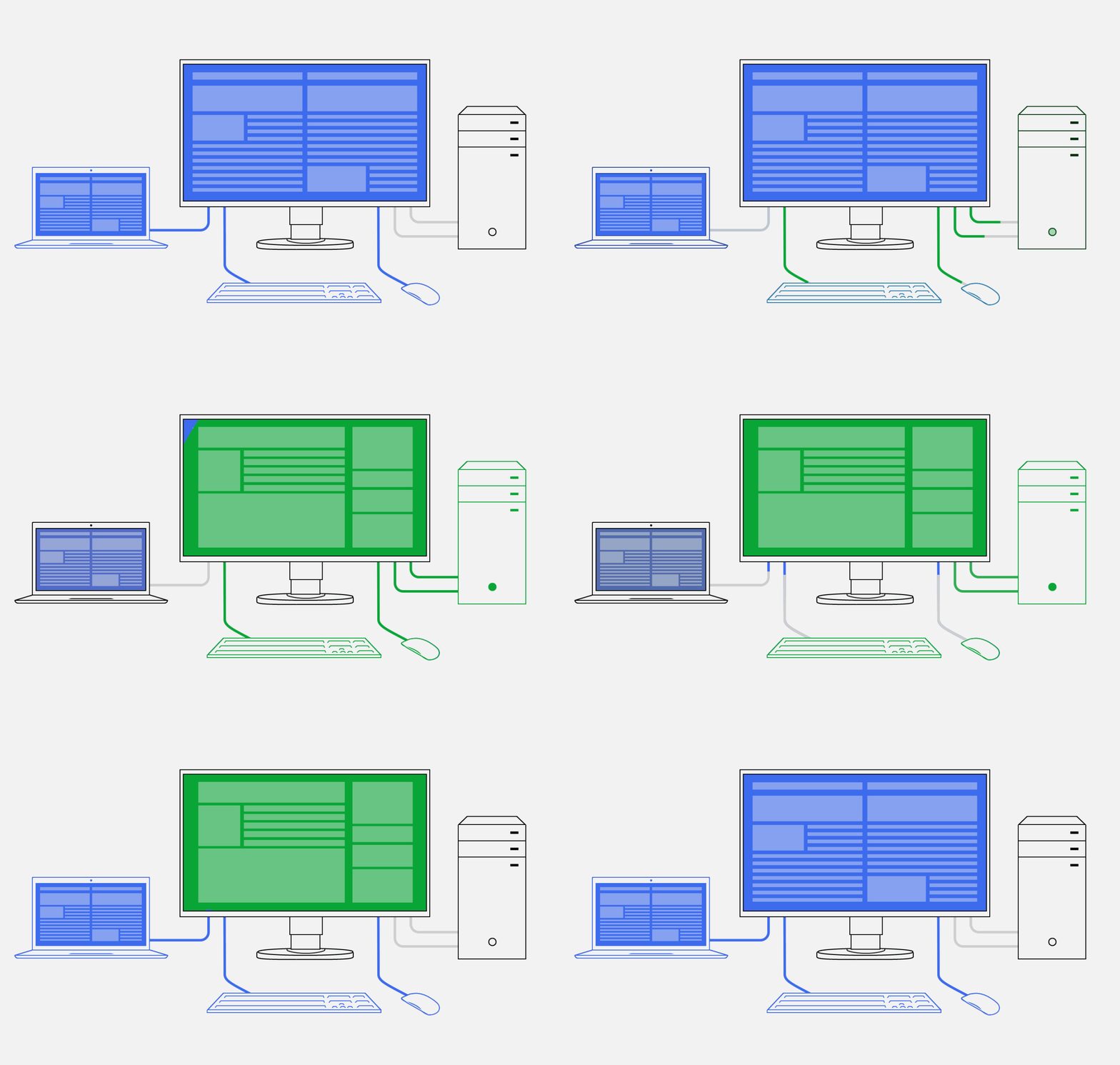
It has never been easier to operate different PCs with a single mouse and keyboard. Thanks to the USB upstream ports, the EV3851X has an integrated KVM (Keyboard Video Mouse) switch. The monitor automatically links the webcam, microphone, speakers, mouse and keyboard to the currently active source computer. This means, for example, that a desktop PC and laptop or business and private PC can each be operated on the same combination of monitor USB devices. This ensures uninterrupted working and a tidy workspace.
Software and ease of use
Features for greater comfort
Image signals side by side
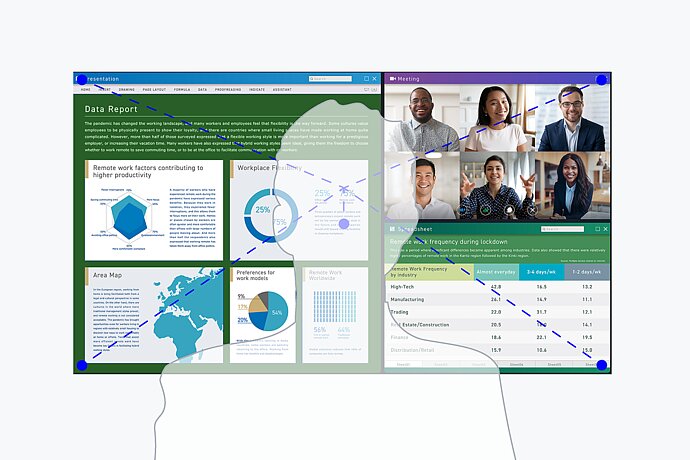
If multiple computers are connected with the monitor, picture-by-picture mode allows you to view two signal sources on the screen independently. This saves time and means you don’t have to switch constantly between different video and audio sources.
Three pre-set picture-by-picture layouts are available at the push of a button, allowing you to comfortably display multiple applications in different sizes.


Preset color modes
Preset color modes optimize the viewing of images, texts or videos. Because it makes a difference whether you are watching a video, looking at a picture, surfing the net or writing texts. At the touch of a button, you can set the respective preset for brightness, gamma correction and color temperature. An example: Paper mode simulates the pleasant contrast of printed paper, making reading easier on the eyes and preventing fatigue.

The monitor includes a preset for Display P3, the color standard used by Apple devices such as the MacBook series and iPhone. It also offers presets for DCI-P3 and BT.709 for content creation and video preview tasks. You can switch display modes easily using the monitor's front buttons or SnapSwitch. This ensures consistent color reproduction in no time.

Electrostatic switches are integrated into the front of the EV3851X instead of mechanical buttons. This ensures ease of use while also giving the monitor an extremely elegant look.
With the Button Guide, you have all functions at a glance. One touch of the control panel is enough, and the function assignment of the buttons is displayed. Your advantage: clarity of operation and a clean, uncluttered design.
The speakers and all the controls are also built into the bezel, pointing forward in the direction of the user. They are fully integrated into the monitor’s flat, nearly frameless design to offer an excellent user experience.

SnapSwitch
Some important functions can be executed simply and directly via an already connected USB keyboard. Functions such as brightness, volume, color mode, picture-by-picture, or USB port assignment can be assigned to double-clicks on the CTRL, Alt, and Shift keys. The advantage: time savings through fast and efficient operation.
Monitor control and administration
In addition to the on-screen menu, you can conveniently control the EV3851X by using the Screen InStyle software on a PC. The configuration options include color reproduction, energy saving options, and ergonomic functions. In multi-screen systems, the settings can be applied synchronously to all connected screens with Screen InStyle.


In most work environments, it is common to have several apps such as web conferencing, word processing, browsers and other programs open and visible at the same time.
With the "Screen Layout" function of Screen InStyle, you can arrange the windows of the various programs clearly on the screen and thus work much more efficiently. In addition to predefined layouts, you can freely select window sizes and positions for individual layouts.


Software for monitor control by administrators
System administrators can centrally manage and control monitors connected in the network with Screen InStyle installed using the Screen InStyle Server application. This optimises power consumption and simplifies asset management of the monitors.
Company-wide default setup
Workload reduction for administrators: The software allows you to create a default setup for all relevant monitor settings. This setup can be distributed to the connected monitors via the local network which facilitates the roll-out process.
Image quality
Precise, high-contrast, bright and crisp screen
See more, work better
The monitor is capable of all three key elements of excellent image quality: excellent resolution of 3840 x 1600 pixels, maximum contrast of 2000:1, and stable brightness of up to 300 cd/m2. That means you will experience razor-sharp text contours, brilliant graphics, and clear images. Thanks to the high-quality IPS panels with LED backlight, contrasts and colours remain stable from every viewing angle.
Look-up-Table
An image can only be perfect if the colors are, too. This is why EIZO monitors have a 10-bit look-up table at a minimum, which allows the color information to be assigned much more precisely than with conventional 8-bit LUTs. The finest color gradations ensure that gradients are always perfectly displayed, while also offering customised adjustment options. For example, you can adjust the white balance from 4000 K to 10000 K in 500-K intervals.

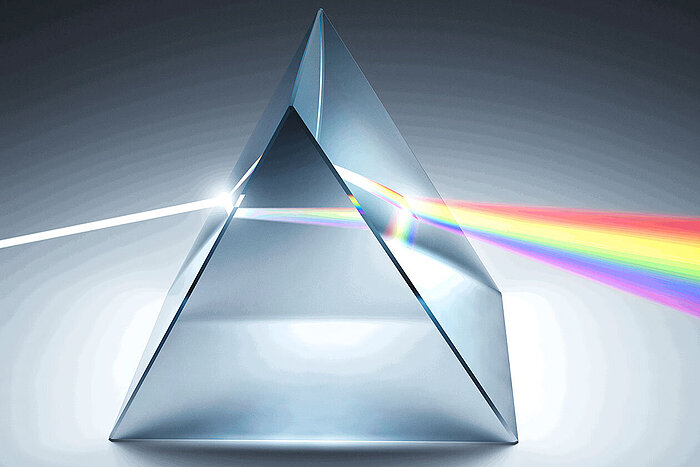
The overdrive function accelerates the switching time to such an extent that gray-gray changes typically occur in just 5 ms. You can watch movies and fast image changes without annoying afterglow. When scrolling and positioning windows or images, the display is legible in fractions of a second – faster than it can be perceived. Power consumption and energy efficiency are always in view.
Ergonomics
Working in a relaxed manner
Easy on the eyes with Auto EcoView
At day, at night, bright, dark: No matter when and how you work, the Auto EcoView function continuously measures changes of the ambient light and optimises the monitor with ideal brightness values automatically by using a sensor. The benefits: Annoying glare is reduced, your eyes will not get tired as quickly. A special two-point control takes into account the brightest and darkest environment over the course of the day with the respectively desired screen brightness. Another plus: the automatic brightness adjustment can significantly reduce power consumption.
Of course, you can also continue to configure the monitor manually. EcoView Index is used for orientation on how economical your settings are.


For the sake of the eyes
To help protect your eyes, EIZO has developed a hybrid technology to control the backlight. This combines the benefits of the otherwise standard PWM (pulse width modulation) and DC (direct current) control. The PWM control uses much higher frequencies than standard PWM methods. The result: a flicker-free viewing experience while maintaining picture quality and colour stability. In addition, compared to pure DC control, you can adjust the brightness to less than 1% of the maximum value in darkly lit rooms. The benefit: Your screen remains free from flicker and glare even under these conditions.
The flicker-free and low blue light content of the EIZO FlexScan monitors is certified by TÜV Rheinland.
More image, less reflection
The EV3851X offers a perfect, non-glare surface. By minimising glare by diffusing the reflected light, the EV3851X effectively protects your eyes from straining. This keeps your eyes from getting as tired and allows you to sit comfortably in front of the monitor, without having to sit in a forced position to prevent glare.
Flexible adjustment
Ergonomic and stable: the adjustable stand focuses on ergonomics. You can swivel and tilt the monitor stand until you find the most comfortable setting for your back, neck and sitting posture. It features continuous height adjustment and can be lowered almost to the base plate of the stand, enabling you to position the top image line ergonomically right below your eye level.
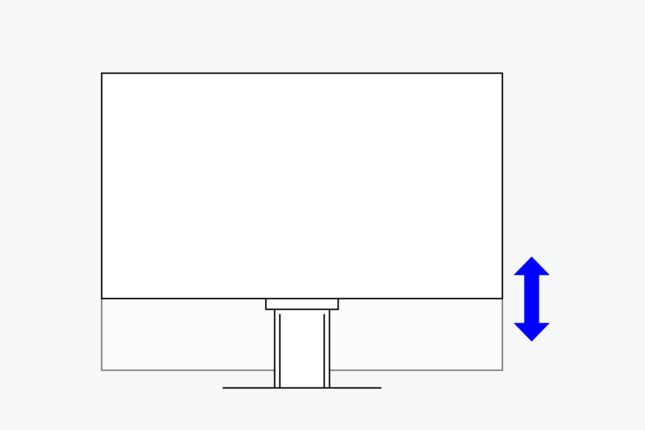
195 mm
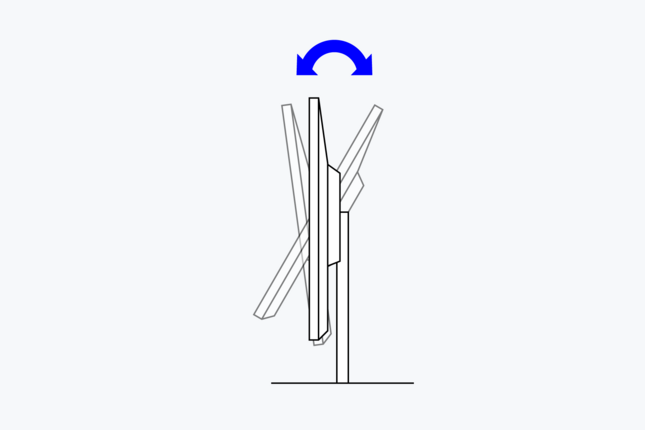
Between 5° forwards and 35° backwards
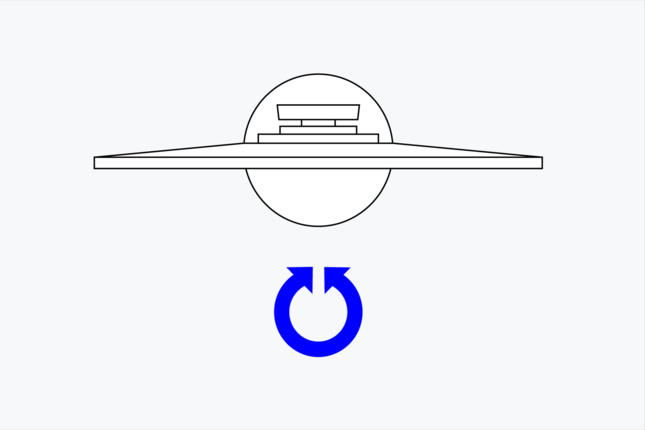
70°
Sustainability
Environmentally and socially conscious production
Save energy effortlessly
Energy efficiency is an important aspect in the development of EIZO monitors. The monitors are equipped with features and functions to reduce power consumption to a minimum.
Work energy-efficiently with power-saving monitors from EIZO. Read more about it.
The Auto EcoView function automatically adjusts the brightness of the screen to changes in ambient light. This saves electricity compared to a monitor that is operated at a constant brightness. Of course, you can still adjust the monitor manually. EcoView Index gives you an indication of how economical your settings are.
The EcoView Optimizer automatically reduces the backlight in dark images, thereby reducing power consumption. At the same time, the signal is amplified and the color tone values are adjusted. The result: you experience the usual image quality with lower consumption.
And best of all, the greatest energy savings can be achieved simply by selecting Eco mode.
These EcoView technologies reduce overall power consumption by up to 60 %* compared to the display at maximum brightness. Another plus: the automatic brightness adjustment can be easy on your eyes.
* Typical power consumption when no USB Power Delivery is used.
The monitors have an integrated mechanical power switch, which is extremely practical and energy-saving: If you switch off the monitor using the power switch, the device will stop consuming any power at all. Moreover, it consumes a maximum of 0.3 watt in standby mode.
Focus on the environment and resources
FlexScan monitors from EIZO are produced in accordance with international environmental regulations and in a socially responsible manner. Suppliers along the supply chain are carefully selected and have also committed themselves to this responsibility. During the design process, attention was paid to the low use of resources with high-quality components and materials as well as careful production. In addition, FlexScan monitors protect resources and the climate thanks to their long service life, warranty and repairability.
Read detailed information about product sustainability here.

Conserving resources
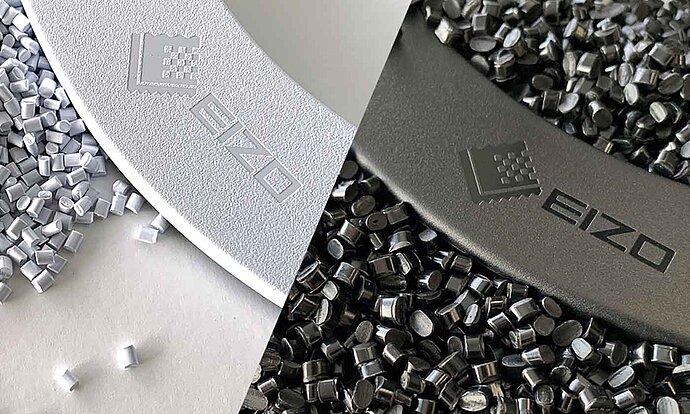
The EV3851X is made of more than 60% recycled plastic. This reduces the amount of plastic waste entering the environment, conserves resources and promotes the reuse of materials.
Reducing the use of volatile organic compounds (VOCs) in material production, such as those found in certain paints and varnishes, is also of global interest.
Through years of research, EIZO has succeeded in achieving a smooth, nearly homogeneous color and texture in its monitor housings without the use of varnish.
Standards and guidelines
The monitor is certified to important and comprehensive sustainability standards such as TCO Certified Generation 10 and ENERGY STAR®. It also has an EPEAT registration for compliance with strict sustainability standards at the highest level, which is even complemented by a Climate+ award on science-based climate protection standards.
The EV3851X represents a safe investment if aspects such as ESG (environmental, social and corporate governance) or SDG (Sustainable Development Goals) of the United Nations are to be observed and required guidelines are to be complied with.

Sustainable Development Goals
As part of its sustainability initiatives, EIZO is contributing towards the United Nations' Sustainable Development Goals (SDGs).
FlexScan embodies EIZO's commitment to sustainability through the use of recycled materials and low-impact components. The monitors are optimized for energy efficiency, contributing to lower greenhouse gas (GHG) emissions.
EIZO also collects and recycles used products to further minimize environmental impact. We strive to promote efficient and circular resource use across every stage of the product lifecycle - from parts and materials procurement to manufacturing, transportation, user experience, and end-of-life disposal.
All production sites at EIZO's headquarters in Japan operate on 100% renewable energy.
Learn more.
FlexScan offers a versatile lineup and user-friendly features to support a wide range of workstyles. Each monitor can be adjusted to match individual preferences for screen position and display settings, while integrated eye care technologies help reduce eye fatigue during use. With reliable image quality and thoughtful design, FlexScan empowers business professionals to work more efficiently and comfortably.
Learn more about our FlexScan monitors.