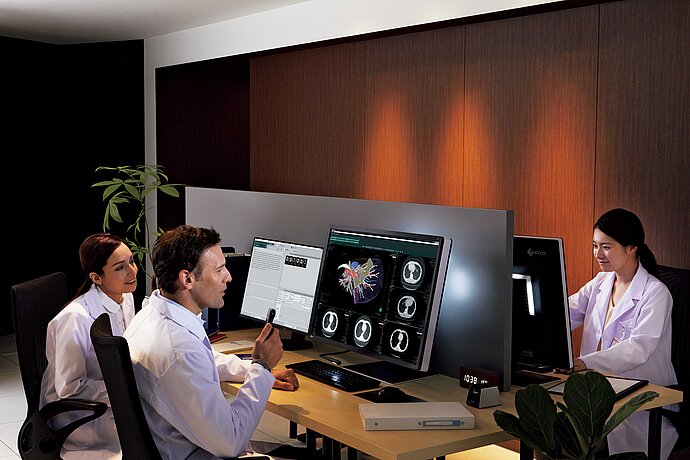
Digitalization has fundamentally transformed the field of pathology. Increasingly, tissue samples are no longer examined exclusively under a microscope but are analyzed as digital whole-slide images (WSI) on high-resolution screens. As a result, the monitor has become a central component of the diagnostic workflow. Its role is to display the smallest structures, color differences, and tissue changes with such precision that they can be reliably assessed.
EIZO Academy
Monitors for Digital Pathology
Why Specialized Displays Are Essential for Accurate Diagnostics.

Contents of this page
- Resolution is more than just a number
- The right screen size is crucial
- Why Brightness and Contrast Are Diagnostically Relevant
- Color Accuracy: When Nuances Determine Interpretation
- What does image uniformity mean?
- Calibration as an Integral Part of Quality Assurance
- Billions of colors for precise color gradation
- High-Performance Hardware for Large Image Files
- Durability as a Quality Feature
- The Benefits of EIZO PX Monitors for Pathology
Resolution is more than just a number
The higher the monitor resolution, the more information can be displayed at the same time. Fine cellular structures appear sharper, transitions look more natural, and larger areas of the image can be viewed without additional zooming.
For digital pathology, a resolution of eight megapixels on a large screen is recommended. This allows for better utilization of the large amounts of information contained in modern WSI scans.

PX3150 (30.5 inches) with 8 megapixels (color) and a resolution of 4096 x 2160 (4K DCI)
However, resolution alone does not determine image quality. It must always be in harmony with the screen size. Only then will image content and tools remain easy to read and be displayed without disruptive scaling.
The right screen size is crucial
A monitor should not only display as much information as possible, but also make that information ergonomically accessible. If the screen is too small, you’ll have to zoom in more often. If it’s too large, you’ll constantly have to move your head to take in the entire image.
For this reason, screen sizes ranging from at least 27 to, ideally, 32 inches have become standard in digital pathology. They provide ample space for high-resolution tissue images while also leaving room for tools, menus, and diagnostic software. This reduces the need for image scaling, which would otherwise lead to inaccurate images and unwanted image artifacts.
The optimal screen size and aspect ratio always depend on the viewing distance and the actual work environment. Only the combination of these factors allows for comfortable work over many hours. For digital pathology, a 16:9 aspect ratio provides an image that closely resembles that of a microscope and the human eye’s natural field of view.

Why Brightness and Contrast Are Diagnostically Relevant
The human eye can only detect differences in brightness up to a certain limit. To ensure that fine tissue structures remain visible, a monitor must be sufficiently bright while also displaying precise contrast. For pathology diagnostics, monitors with a brightness of at least 300 cd/m2 are recommended.
Contrast is equally important. It describes the difference between the brightest and darkest areas of an image. Only when dark areas of the image are actually rendered dark can cell boundaries, tissue layers, and other diagnostically relevant features be reliably identified. For this reason, a static contrast ratio of at least 1000:1 is recommended for digital pathology.
Practical Tip
High brightness alone does not automatically improve diagnostic accuracy. What matters most is that brightness and contrast remain stable over the long term and are suited to the specific work environment.
Color Accuracy: When Nuances Determine Interpretation
In pathology, staining techniques provide important diagnostic information. Different cell types, tissue types, or abnormalities are often identified based on characteristic color patterns. For this reason, monitors must reproduce colors as accurately as possible.
Suitable pathology monitors use high-precision color space controls and powerful look-up tables (LUTs). This makes it possible to visualize even the slightest color differences and display up to one billion distinct shades.
Consistent color reproduction is particularly important when scanners, software, and monitors from different manufacturers are used together within a workflow. Only color reproduction that is regularly checked can ensure reproducible results.
What does image uniformity mean?
One aspect that is often overlooked outside the field of medicine is image uniformity. It describes how evenly brightness and colors are distributed across the entire screen.
On a standard monitor, the same image may appear different in the center than at the edges. For office applications, this usually isn’t an issue. In pathology, however, such differences can make assessment more difficult. That is why EIZO medical monitors feature the DUE (Digital Uniformity Equalizer) function – a special technology for uniformity correction that automatically compensates for brightness and color deviations.
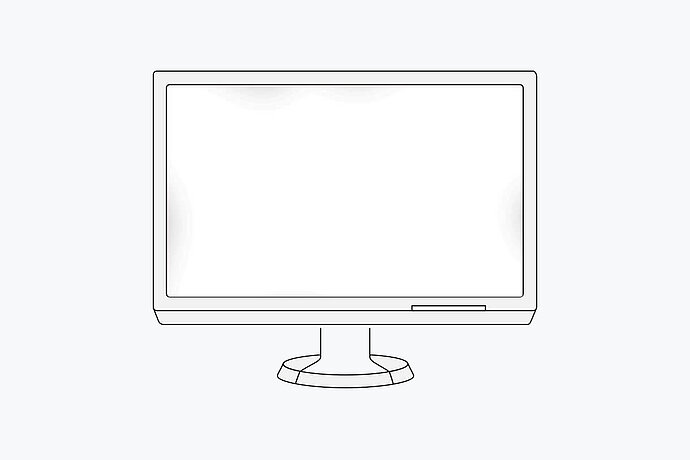
With DUE
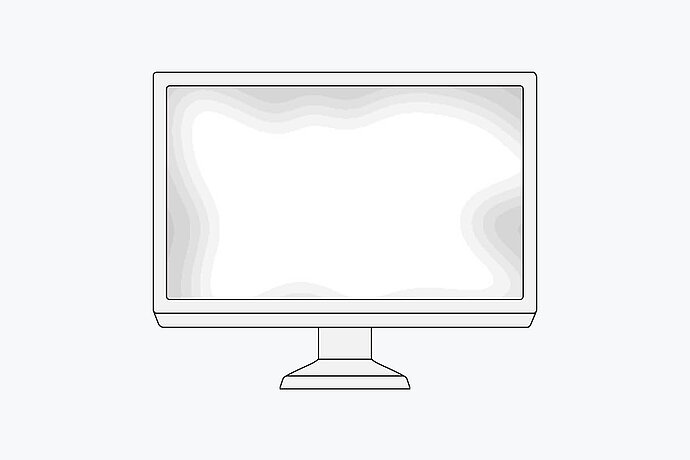
Without DUE
Calibration as an Integral Part of Quality Assurance
To ensure that tissue samples can be evaluated under consistent conditions over the years, a monitor’s display must be regularly checked and calibrated. This is the only way to ensure that brightness, color reproduction, and contrast remain consistent over the long term. This helps ensure that image reproduction is reproducible and reduces the risk of incorrect image interpretations.
A basic distinction is made between hardware and software calibration. With hardware calibration, corrections are stored directly in the monitor. This ensures that the settings are retained regardless of the computer used and enables a particularly precise display. With software calibration, adjustments are made via the computer’s graphics card. As a result, the calibration is tied to the specific system and is less precise.

An integrated sensor can further simplify calibration. It enables automatic quality checks and ensures consistently stable image and color reproduction without the need for external measuring devices.
Billions of colors for precise color gradation
For pathologists’ work, it is important that monitors comply with established color standards such as sRGB. Color reproduction is controlled via a 13-bit Look-Up-Table (LUT) to ensure high precision. With a DisplayPort connection, up to 10 bits of this are available for the display. This results in a color resolution of up to 1 billion shades. The subtle color differences required for diagnostic evaluation can thus be precisely distinguished.
High-Performance Hardware for Large Image Files
Digital slides generate enormous amounts of data. Therefore, panning, zooming, and focusing within a whole-slide image requires not only a suitable monitor but also a high-performance system as a whole.
The graphics card, memory, scanner, and monitor must work together seamlessly to ensure that high-resolution images can be displayed without delay. An appropriate refresh rate also helps ensure smooth navigation within large datasets.
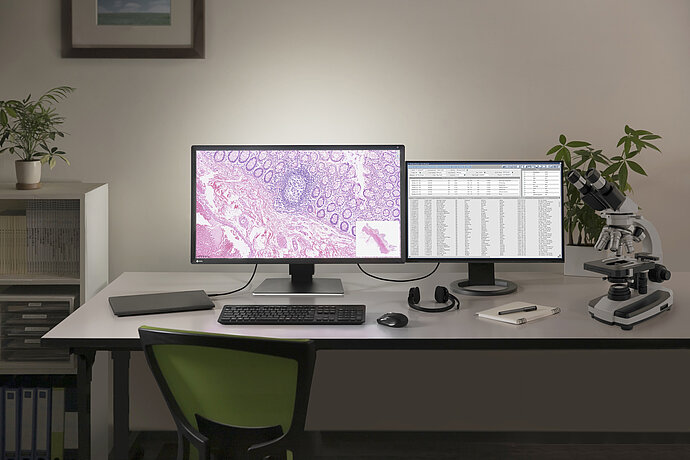
Durability as a Quality Feature
Image quality is essential not only on the first day, but for many years to come. EIZO monitors for digital pathology are therefore designed for long-term stability. Key factors here include consistent brightness, reproducible color reproduction, and the ability to perform regular calibrations.
While conventional office monitors are primarily designed for general productivity, pathology monitors focus on long-term image stability and the reliable display of diagnostic content. Consistently high image quality is essential for reliable diagnoses by medical professionals.
The Benefits of EIZO PX Monitors for Pathology
- Large-format monitors
- Defining a Custom Display Characteristic Curve Through Calibration
- Excellent color differentiation
- Large Look-Up-Table: for accurate color reproduction
- Deep black levels
- Consistent monitor quality thanks to a brightness stability sensor
- Long product lifecycle